Education Interactive Display
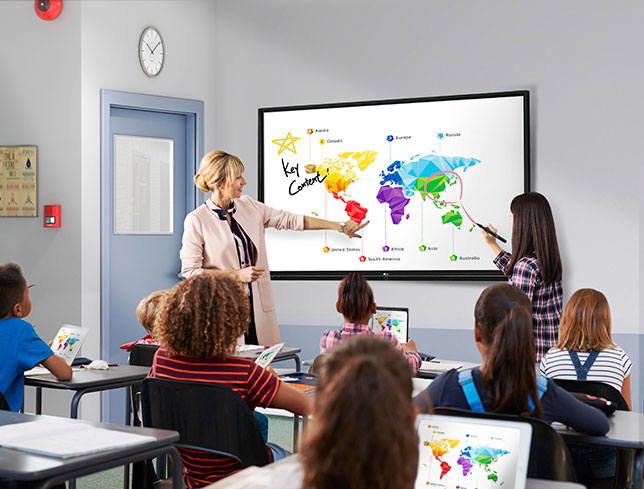 Interactive displays in education offer numerous advantages that enhance learning experiences and support teaching methodologies. Here are some key advantages:1. **Engagement and Interactivity**: Interactive displays actively engage students by allowing them to interact directly with the content. This hands-on approach promotes active learning, encourages participation, and enhances retention of information compared to traditional methods.2. **Visual and Multimedia Learning**: Interactive displays support the integration of multimedia elements such as videos, animations, simulations, and interactive software. These visual and dynamic resources cater to different learning styles, making complex concepts more accessible and understandable.3. **Collaborative Learning**: Interactive displays facilitate collaborative learning environments where students can work together on projects, presentations, and group activities. They promote teamwork, communication skills, and peer-to-peer learning, preparing students for collaborative work environments.4. **Adaptability and Customization**: Educators can customize lessons and content on interactive displays to suit the needs and pace of individual students or diverse groups. They can easily adjust content in real-time based on student responses and engagement levels.5. **Accessibility and Inclusivity**: Interactive displays can accommodate diverse learning needs, including students with disabilities or special educational requirements. Features like adjustable font sizes, audio enhancements, and touch-based interaction can make learning more accessible to all students.6. **Real-Time Assessment and Feedback**: Teachers can use interactive displays for formative assessments, quizzes, polls, and interactive exercises to gauge student understanding instantly. This immediate feedback allows educators to adjust teaching strategies and provide timely interventions.7. **Integration with Digital Tools**: Interactive displays often integrate with educational software, learning management systems (LMS), and other digital tools used in classrooms. This integration streamlines workflow for teachers and enhances the overall educational experience.8. **Sustainability and Cost-Effectiveness**: Digital interactive displays reduce the need for printed materials and resources, contributing to environmental sustainability. Over time, they can also be cost-effective compared to traditional teaching aids by reducing recurring expenses on materials.9. **Professional Development and Training**: Interactive displays can be used for teacher training, professional development sessions, and workshops. Educators can explore new teaching methodologies, share best practices, and collaborate with colleagues using interactive tools.Overall, interactive displays in education foster a dynamic learning environment that promotes engagement, collaboration, customization, and accessibility, thereby enriching the educational experience for students and supporting effective teaching practices.


